

Android and smartphones use advanced security layers, such as Factory Reset Protection (FRP), screen locks, bootloader restrictions, and chipset-level protections. They are necessary for data protection, but can cause problems for users during software issues. That’s why the TFT unlock tool is introduced for Android device repair software.
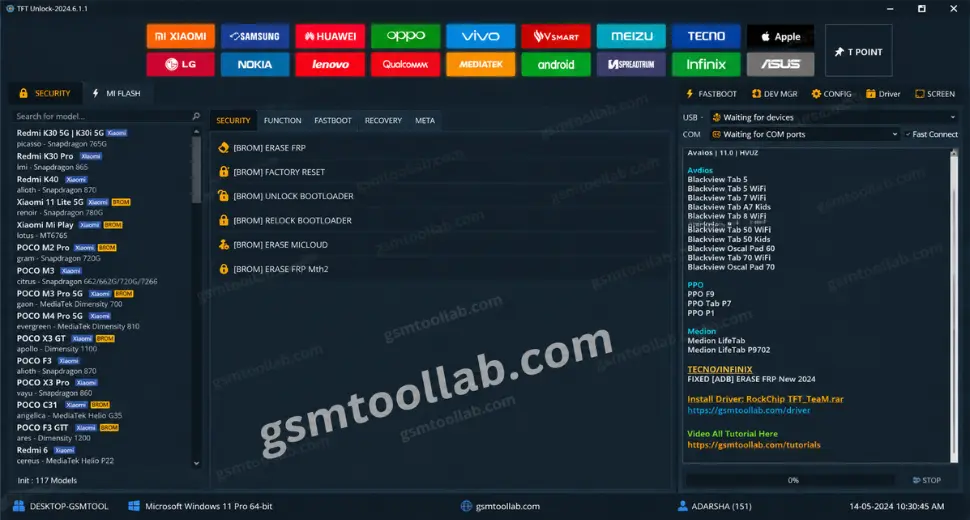
What is the TFT Unlock Tool?
The TFT tool is a versatile Windows-based program for repairing the Android operating system. It’s very easy to use and free for every user, but sometimes it has limits. The TFT tool is a one-click hack function as a technical interface to communicate with Android drivers and connections.
Key Features
Multi-Brand Android Support
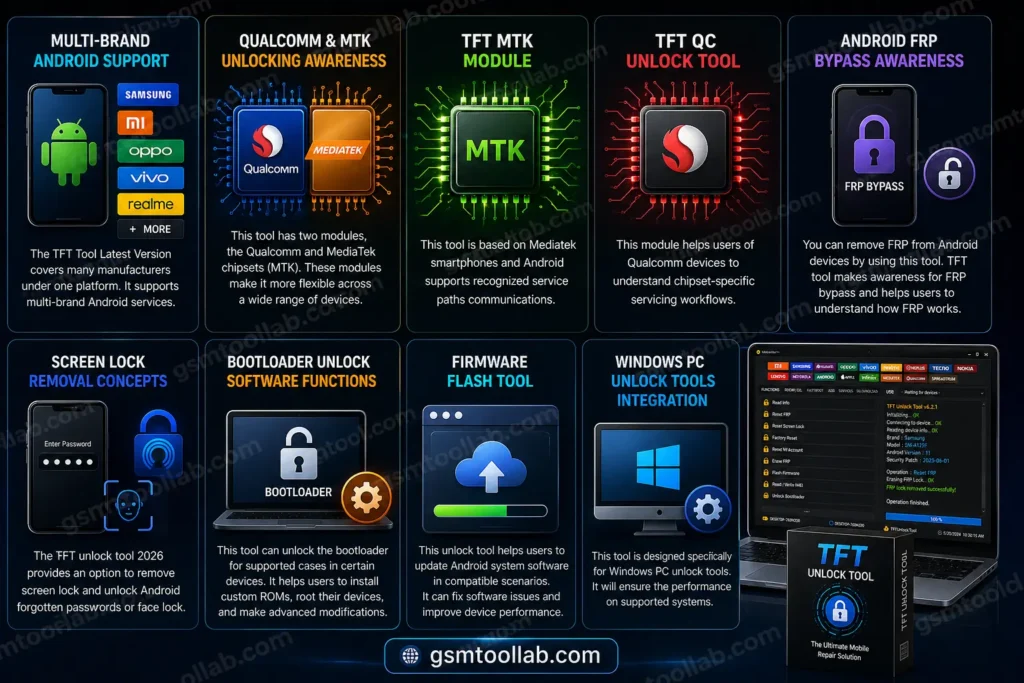
The TFT Tool Latest Version covers many manufacturers under one platform. It supports multi-brand Android services.
Qualcomm and MTK Unlocking Awareness
This tool has two modules, the Qualcomm and MediaTek chipsets (MTK). These modules make it more flexible across a wide range of devices.
TFT MTK Module
This tool is based on Mediatek smartphones and Android supports recognized service paths communications.
TFT QC Unlock Tool
This module helps users of Qualcomm devices to understand chipset-specific servicing workflows.
Android FRP Bypass Awareness
You can remove FRP from Android devices by using this tool. You have to connect your Android or smartphone to the computer with the help of a book key or EDL point. After that, select the model in the TFT tool, and click on FRP remove. After this complete process, your device will be unlocked.
TFT tool makes awareness for FRP bypass. This tool helps users to understand how PRF works and its existence.
Screen Lock Removal Concepts
The TFT unlock tool 2026 provides an option to remove screen lock and unlock Android forgotten passwords or face lock.
Bootloader Unlock Software Functions
This tool can unlock the bootloader for supported cases in certain devices. It helps users in order to install custom ROMs, root their devices, and make advanced notifications.
Firmware Flash Tool
Due to firmware flash the IMEI number is invalid or missing. This unlock tool helps users to update Android system software in compatible scenarios.
Windows PC Unlock Tools Integration
This tool is designed specifically for windows pc unlock tools. It will ensure the performance on supported systems.
What’s New In 2026?
- New device support.
- Bug fixes.
- Improved compatibility.
- Better handling of Qualcomm and MTK unlocking.
- Expanded TFT MTK Module and TFT QC Unlock Tool.
- Improved driver management with the TFT USB Driver Installer.
- More consistent Windows compatibility.
- Cleaner interface for first-time users.
How to Update TFT Unlock Tool?
When you want to update the TFT tool, you just remove older files. They download new files with drivers kept intact in the new files.
TFT Unlocker Tool Official
The TFT unlock tool’s official version refers to the user for better security, accurate device detection, fewer errors, and is always compatible with the latest version.
TFT Unlock Tool USB Driver Installation Steps
The drivers are necessary for Windows to communicate with Android when the TFT unlock service is applied.
Why Drivers Matter
- Ensure proper device detection
- Enable stable data transfer
- Prevent connection errors
Device Connection & Communication Modes
The TFT tool Latest Version uses three modes to communicate with devices.
- Chipset-specific service modes
- Normal mode
- MTP mode
Use Cases (Educational & Legitimate)
Device Recovery
When software gets corrupt, and updates fail, then you need to access the TFT tool.
Second-Hand Device Awareness
After the long-term usage of devices, checking the status of devices is a crucial step and needs to be fixed on an urgent basis.
Learning Android Repair
The beginner wants to learn about Android repair to solve these problems.
TFT Unlock Tool vs Alternatives
| Feature | TFT Unlock Tool | Other Tools |
| Multi-brand support | Yes | Varies |
| MTK + Qualcomm | Yes | Often Limited |
| Beginner UI | Yes | Sometimes Complex |
| Free modules | Some | Often Paid |
Common Issues & Awareness Tips
No Internet Connection Error
There are many users facing problems due to the firewall and network settings. So, they usually search for a solution to the unlock tool.
Device Not Detected
If your drivers are not properly installed, or if the cable is not connected, then the “device not detected” error may appear. In this case, you should check both the drivers and the cable connection.
Unsupported Model
This tool is not for all devices. You have to always check the TFT unlock tool checklist.
Factors to consider TFT Unlock Tool
- Set of tools
- Screen lock removal & FRP bypass
- Free version
- Devices should attach with Qualcomm, MTK, Unisoc, and chipsets
- Latest updates
- Regular bug fixes
Factors to avoid the TFT Unlock Tool
- Limited features
- Vpn configuration
- Antivirus should be disabled
- TFT latest version
- Success rate
- Technical knowledge
- Lack of tutorials
Minimum System Requirements
What are the minimum system requirements for this tool? They are explained below. This tool has very few requirements.
- Operating System: Windows 7 or later
- RAM: At least 4 GB
- Storage: 1 GB of free disk space
- Administrator privileges
- Ports: USB port required for device connection
How To Install The TFT Unlock Tool?
Installing the latest version 2026 is easy. Follow the steps below.
- Double-click the TFT Unlock Tool setup to start installation.
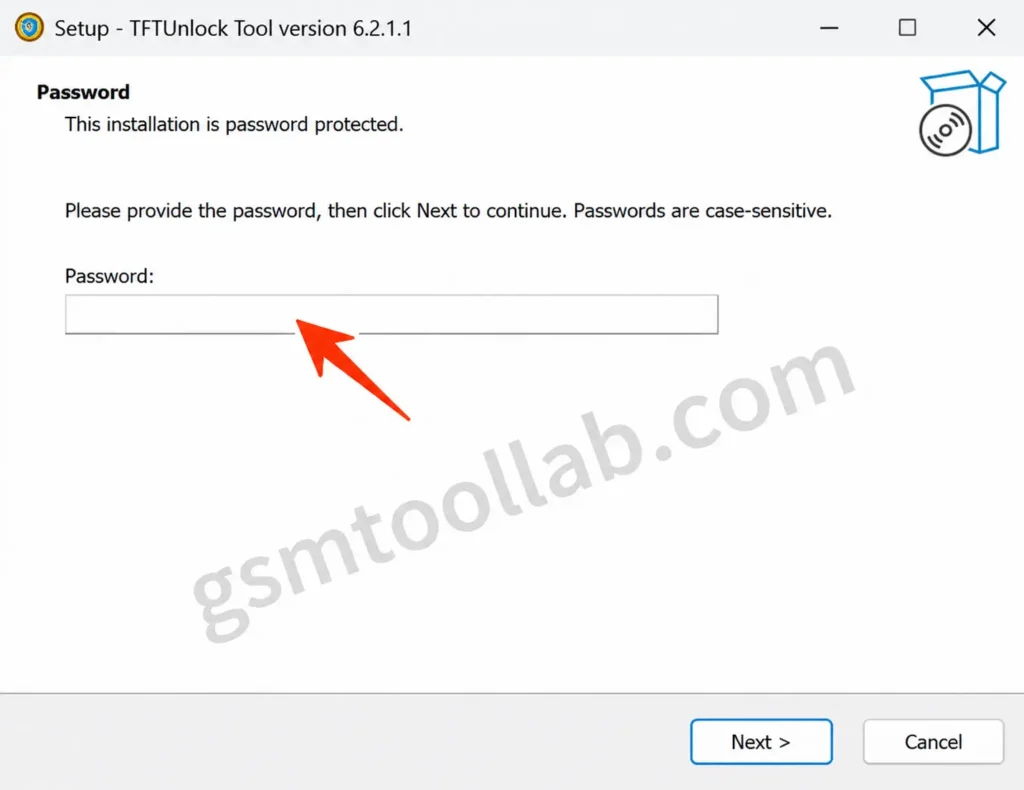
- Enter password 123 and click Next.
- Using your Windows PC or laptop, You can visit the official TFT Tool website.
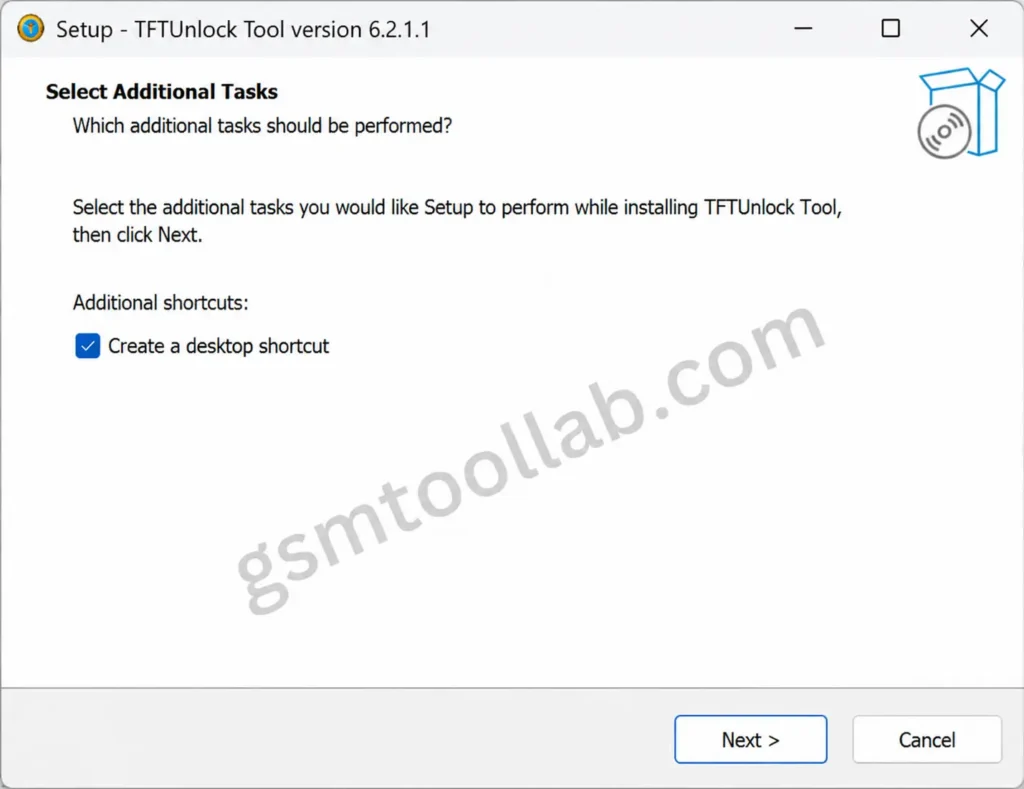
- Select ‘Create a desktop shortcut’, then click Next.
- Installation will start. Also, Then you can use the TFT Unlock Tool for free.
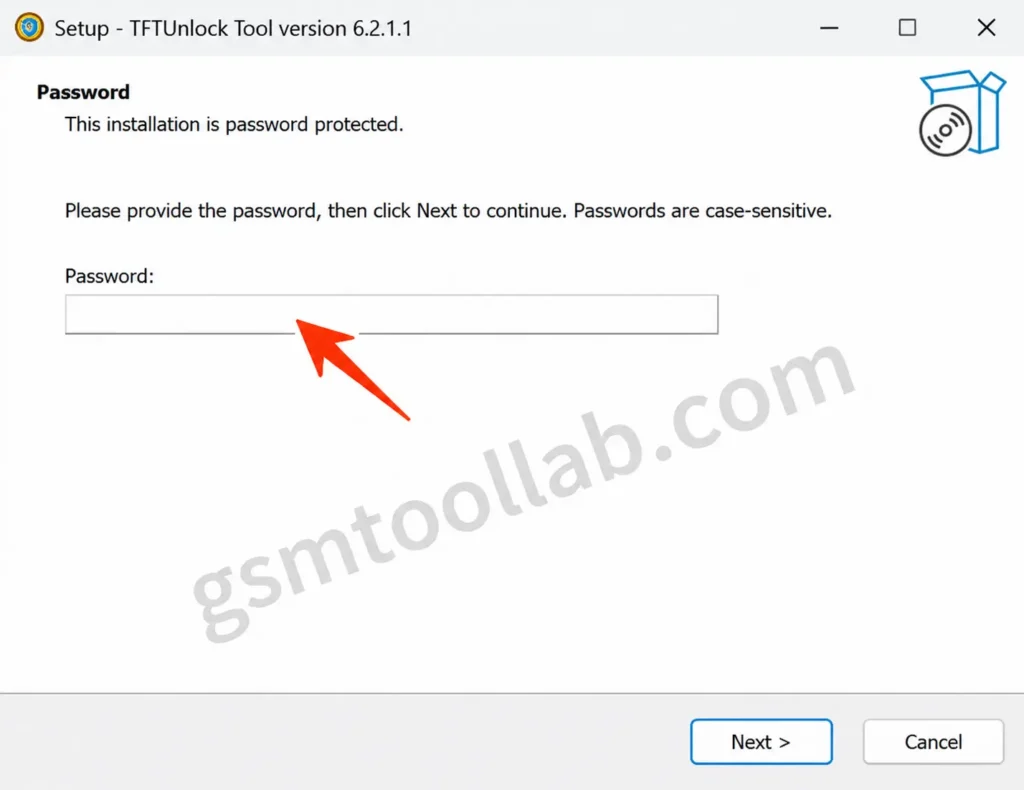
You may get an error while opening the TFT Tool. Use the built-in VPN. Other tools: Minimal ADB Fastboot.
For more Android tools, visit our GSM Tool Lab: gsmtoollab.com
Final Verdict
The TFT unlock tool is a software to repair Android devices. This tool offers multi-brand support, chipset-based modules, IMEI repair and factory reset. This tool provides education and awareness on one window platform. Therefore, If you are a beginner in technicians you can use the workflow without compromising security reasons.
FAQ’s
Is TFT Unlock Tool Free or Paid?
Yes, it is mostly free, but some versions or features may be limited. Availability may change.
Does the TFT Tool support both Android and iOS devices?
The TFT Tool mainly supports Android devices. Support for iOS is limited or not available.
Does it run on Windows?
Yes, it only works on Windows PCs.
Can beginners use the TFT Unlock Tool?
Yes, if they know basic Android security and legal rules.