

When you feel too stuck with mobile device management restrictions like FRP lock, MTP, and kg by the admin, you can bypass this using the MDM fix tool, whether you are a beginner or an experienced user. MDM fix tool offers an established connection between computers and Android or smartphones with custom detection drivers to bypass the FRP and other MDM restrictions.
For More GSMtool Visit: gsmtoollab.com
What Is The MDM Fix Tool?
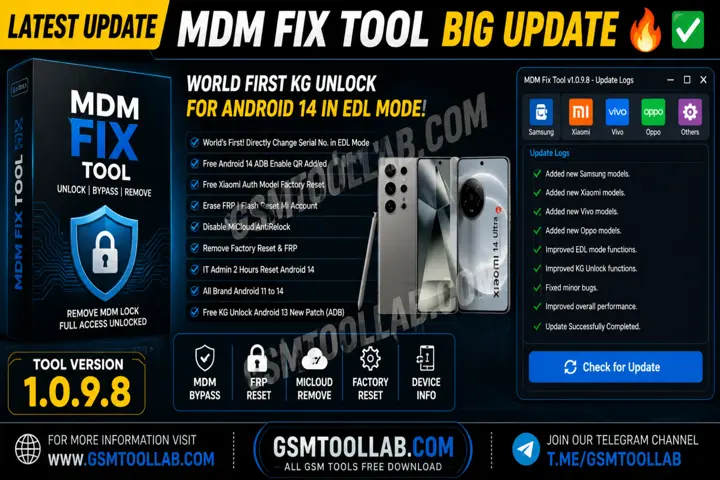
MDM fix tool v1.0.9.8 is designed to remove or bypass the mobile device management restrictions. The MDM restrictions like FRP, IMEI, EFS, and kg can be removed from any brand devices by the MDM fix tool. When the restrictions are removed, you can get access to your smartphone again. This tool makes an effective connection between a computer and an Android to change the ownership of the phone to make a new functionality base.
Features Of MDM Fix Tool V1.0.9.8
MDM Bypass
The MDB fix tool grants the device permission to unlock all reactions on that device. You can easily bypass and remove screen lock, forgotten passwords, and PINS.
MDM Removal
In every device profile, make it secure. But you can remove the MDM files using the MDM fix tool appropriately.
Device Information Reader
This tool retrieves all information about the device that is connected to this tool, including detecting drivers. This tool can read the model and system status.
ADB and Fastboot Support
This feature offers you to control, debug, flash, and repair Android smartphones. You can make the device more reliable with the help of this feature of the MDB fix tool.
User-Friendly Interface
This tool has a very simple and easy-to-understand dashboard. If you are a beginner, you can use and repair your device.
Fast Processing
You can bypass the FRP and unlock screen, as well as other reactions, in less time. This tool can solve your problem in 2 to 5 seconds.
Stable Performance
The MDM fix tool offers better performance, and the error rate is drecreaing with the time. This tool has always had stable performance to make it easier to operate the tool for removing restecions from every brand device.
Lightweight Software
The tool works so fast due to its lightweight design and gives results in seconds. This tool is designed in a simple and easy way, not a heavy server is used in this.
Knox Guard Removal
This feature is mostly found in Samsung devices. You can remove the Knox Guard and also bypass to remove all restrictions from the device.
IT Admin Tool Removal
IT admins make the device more secure and also make policies stricter. This tool helps you to remove IT admin tools and make them fresh for you to use.
What’s New In MDM Fix Tool 2026?
- Mobile Software Unlocking
- World First Kg Unlock For Android 14 Adb Mode
- Samsung Kg Unlock
- Unlock Kg On Mtk, Exynos, And Spd Devices
- Status Need: Broken, error,prenormel, active
- Change Serial No
- Remove 2 Hours Reset Android
- Unlock MDM
- Repair IMEI
- Samsung Download Mode Flash
- Reset FRP in ADB mode
- Enable Adb Through Test Mode
- Added Permanent Factory Reset
- Google Pixel Direct Unlock Sim
- Cmf Network Unlock Fix
- Android 14 Adb Enable Qr Added
- Free Xiaomi Auth Model Factory Reset
- Fixed MDM
- Kg Unload Flashing For Kg Locked Device
- Remove Factory Reset & FRP
- Samsung Qualcomm Partition Manager
Supported Devices and Brands
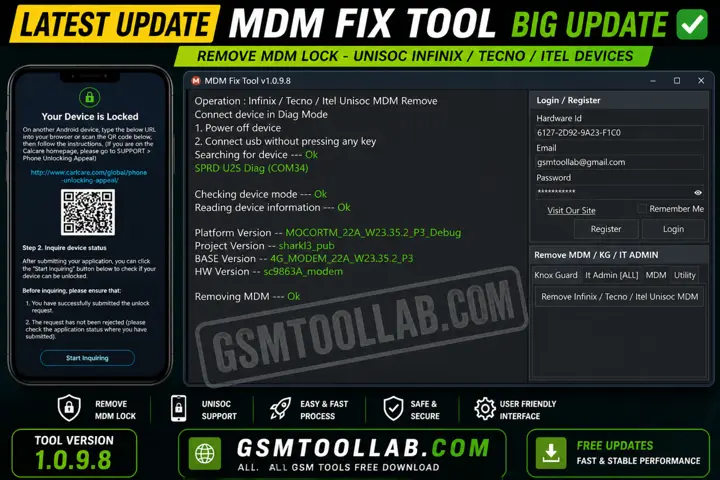
This tool is not limited to Samsung—it also supports Xiaomi, Tecno, Infinix, Itel, Google Pixel, and even Nothing devices. For Xiaomi devices, it allows you to reset FRP, reset EFS, remove or disable Mi Account with ease.
For Tecno, Infinix, and Itel devices, it offers features like IMEI repair, SPD/Unisoc Diag Mode operations, factory reset, and even MDM unlock QR code generation. Pixel and Nothing users can take advantage of direct SIM lock bypass via ADB/Fastboot, making this tool a truly universal solution.
How The MDM Fix Tool Works
The tool uses different methods depending on the device and its security level.
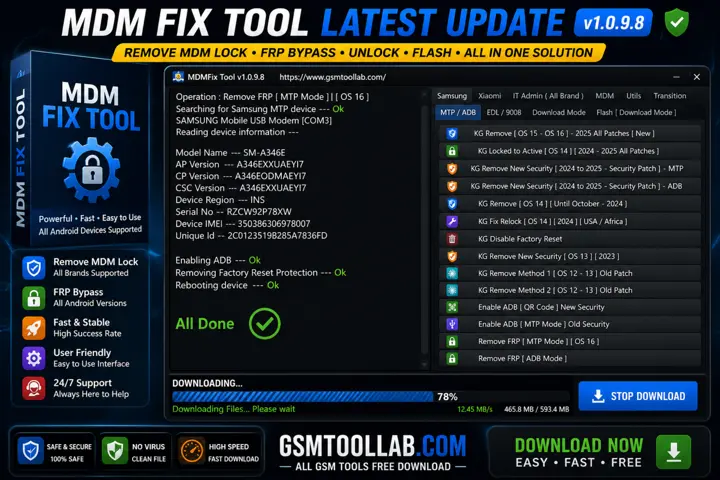
New Samsung devices work best with MTP or ADB methods, while older ones may need flashing. Xiaomi devices usually require Fastboot for better results. For Qualcomm devices, EDL mode gives deeper access to fix serious issues like FRP or MDM locks.
System Requirement:
- OS: Windows 7 / 10 / 11 (64-bit)
- RAM: Minimum 4 GB (8 GB recommended)
- Storage: At least 1–2 GB free space
- Processor: Intel or AMD (dual-core or higher)
- USB Cable: Required to connect the device
How To Download MDM Fix Tool V1.0.9.8?
- For Download, Go to the MDM Fix Tool Website.
- Open the download page.
- Click the download link.
- Wait for the download to finish.
- Open the downloaded file.
- Follow the on-screen instructions to install.
Download Link: HERE
Your File Password: Gsmtoollab.com
File Version & Size: | 129.29 MB || V1.0.9.8 |
File type: compressed / Zip & RAR (Use 7-Zip or WINRAR to unzip the file)
Support OS: All Windows (32-64 Bit)
Virus Status: 100% Safe. Scanned By Avast Antivirus
Final Thoughts
The MDM fix tool offers FPR unlocking and handling kg for various devices. This tool can flash advanced firmware to restore the devices and make them fresh for every user. Due to its user-friendly dashboard, beginners or experienced users can use it. It can respond quickly. So you can download the MDM fix tool from our website to remove FRP and kg from your device.
FAQ’s
Is the MDM fix tool free to use?
People often look for free MDM tools, but they are not safe and usually fail. MDM Fix Tool 3 is a safe and trusted option to remove MDM lock without rooting.
Can an MDM fix tool unlock my device?
An MDM fix tool can unlock your device, but only if you use a reliable one. Poor tools may fail or damage your device, while trusted tools ensure safe removal.
Can we remove an MDM lock?
Yes, but only if you have admin access. If allowed, you can remove the MDM lock from your device settings.
Can MDM be removed permanently?
You can remove the MDM profile by erasing your device when no removal option is available. But if you restore from iCloud, the MDM lock may come back. To avoid losing your data, it’s better to use an MDM removal tool.