In the modern mobile repairing industry, tools are essential for unlocking devices, firmware flashing, software issues, and advanced diagnostics. Hydra Tool is one of the most trusted utilities used by technicians and new users. This Tool is designed professionally to support multiple Android smartphones, chipsets, MediaTek, and Qualcomm. It is user friendly and provides different options like unlocking devices and performing various maintenance operations.
You Can Also Try: Android Multi Tool🔗
What is Hydra Tool?
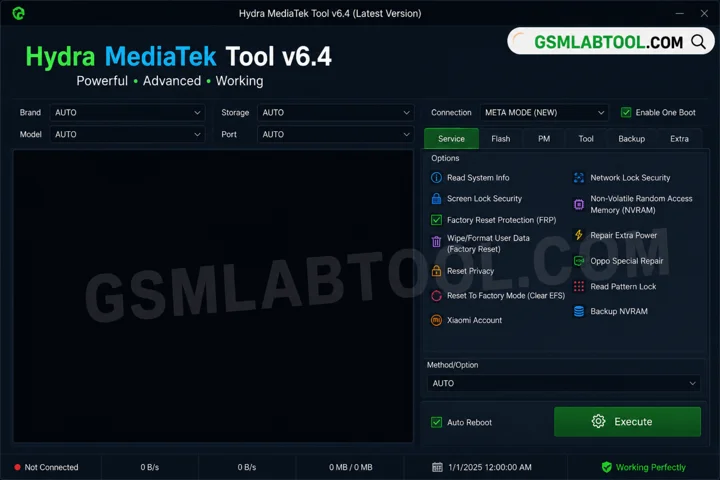
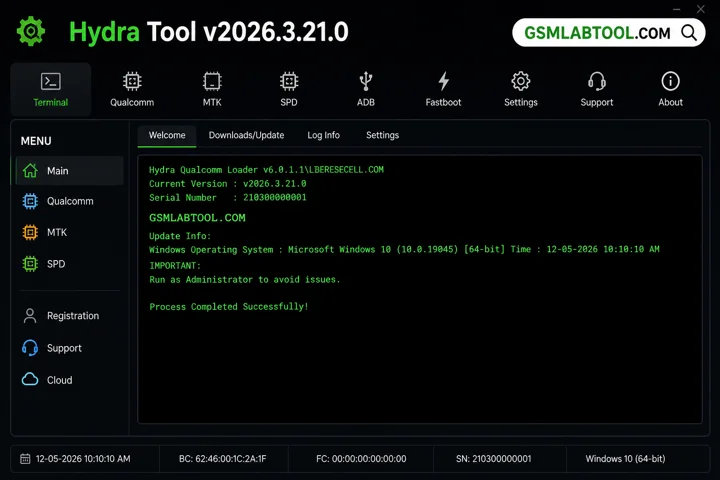
Hydra Tool v2026.3.21.0 is a multifunctional mobile repair software that is designed to work on Windows and communicate with mobile devices through USB. The tool provides a graphical interface so new users can use it easily. Hydra Mediatek offers device compatibility, bug fixes, and improved performance. If you are running a mobile repair shop or your own phone, you can repair it using this tool.
Why Choose Hydra Tool?
Hydra Tool is a powerful and reliable tool for mobile technicians. It offers advanced features, supports multiple chipsets, and provides a smooth user experience. Whether you are a beginner or a professional, it helps you perform tasks easily.
Features
Multi-Chipset Support
The Hydra Tool supports multi-chipset, including MediaTek and Qualcomm. MediaTek and Qualcomm make this compatible with many android or smartphones.
Unlocking Functions
Hydra Tool Latest Version assists in removing patterns, passwords, and PINs from devices. This tool can remove all restrictions that can corrupt the device.
Firmware Flashing
This tool can flash firmware files for Android. With the help of this tool, you can repair corrupted files and update your device.
Device Information Reader
The tool can retrieve all information from a connected Android. The Hydra Tool Dongle can display information such as chipset type, firmware version, and system configuration.
Boot Mode Detection
When you install this tool on your computer to repair a mobile connected mobile with PC. This tool detects Android boot modes like bootloader, recovery mode, and preloader.
Repair Functions
If you are facing issues like boot loops, software crashes, and firmware errors, you can fix the Hydra Tool.
Partition Management
You can read and manage device partitions for advanced serving operations like firmware flash and unlock screens.
User-Friendly Interface
It offers a simple navigation; whether you are a beginner or experienced, you can use just a few clicks to repair your device.
What’s New in 2026?
- New Hydra Mediatek Tool Digital subscription (no dongle required).
- Improved user interface and performance.
- Bug fixes and stability improvements.
- Added more device support and loaders.
System Requirements
Before installing this tool, make sure your system meets the following requirements:
- Operating System: Windows 7, 8, 10, or 11 (32-bit / 64-bit)
- RAM: Minimum 4 GB (8 GB recommended)
- Storage: At least 2 GB of free disk space
- Processor: Intel or AMD (Dual Core or higher)
- USB Drivers: Properly installed Android USB drivers
- Internet Connection: Required for activation, updates, and modules
- Hydra Dongle / Digital License: Required to use the tool
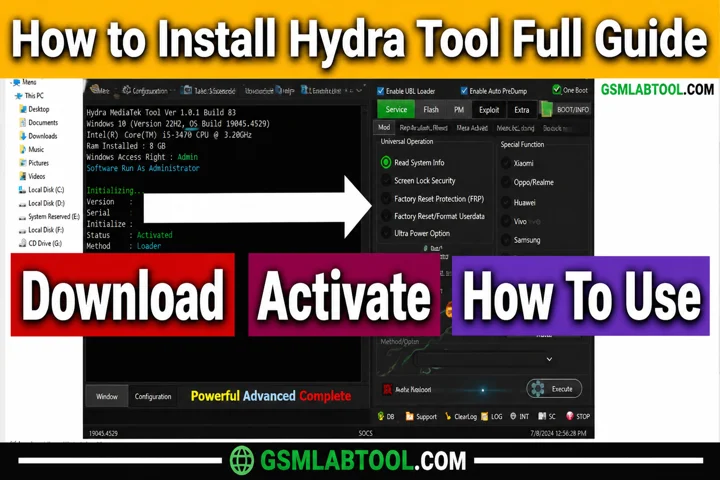
How to Install Hydra Tool v2026.3.21.0?
Follow these simple steps to install and set up on your PC:
- Visit a trusted or official website Of HydraTool🔗.
- Install the Alcor driver and connect your Hydra SmartCard dongle.
- Download the Hydra Tool Setup and extract the ZIP file.
- Run the setup file and complete the installation.
- Register your account using the registration option.
- Update the database to get the latest files.
- Select the required module and start using the tool.
Conclusion:
The Hydra Tool is multifunctional, and it is designed to perform various operations like removing lock screens, forgotten passwords, and removing corrupted files from Android or smartphones. This tool communicated with the help of MediaTek and Qualcomm devices to repair the system. If you are an expert or beginner, you can download the Hydro Tool from our website and repair your Android with just a few clicks.
FAQ’s
What is Hydra’s purpose?
Hydra wanted to take control of the world by removing governments and creating a strict global system, while eliminating any threats.
Is Hydra Tool a lifetime or a time period?
Hydra Tool is available in two options:
- Digital (monthly subscription)
- Dongle (lifetime access)
Is Hydra Tool free?
No, Hydra Tool is not free and requires a license or dongle for activation. However, it is a worthwhile investment for professionals.
Can I use my Hydra Tool account on a different PC?
You can use Hydra Tool on multiple PCs. With a digital license, you can change the PC every 24 hours, while the dongle works on any PC.