Prime Tool v9.0 is a useful and professional tool for repairing options of Android smartphones. The tool is used to address some issues facing Android users. These issues may be FRP, screen locks, Google account verification, firmware flash, and IMEI repair. You can use it with USB drivers, ADB, and MediaTek. There is no need to install anything else; you just download the Prime Tool and solve all your problems quickly.
You Can Also Check: KS Tool
What is the Prime Tool?
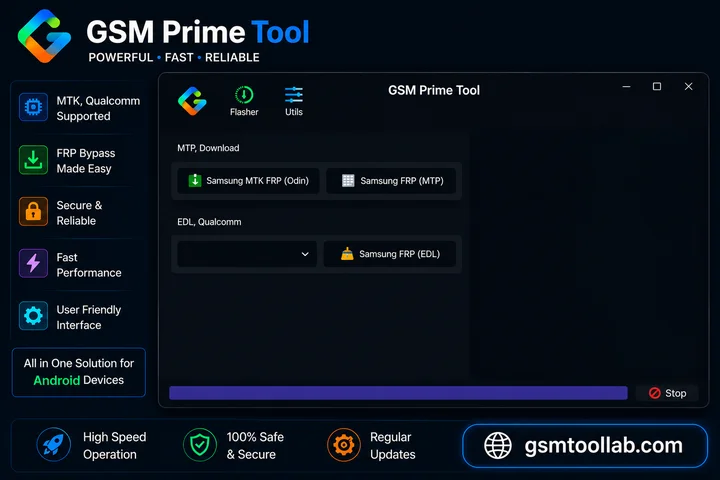
The Prime Tool is window based software that is widely used for repairing mobile phones. This tool helps in flashing firmware, FRP removal, MDM removal, IMEI change or repair, screen unlocks, and factory reset. Prime Tool offers complex operations of ADB fastboot, EDL, and download mode to recover your device quickly. It supports multiple devices like Xiaomi, Redmi, Huawei, Samsung, and Oppo. The Prime tool is updated and supports more devices.
Step by Step FRP Bypass Guide
For Samsung Devices
Step 1:
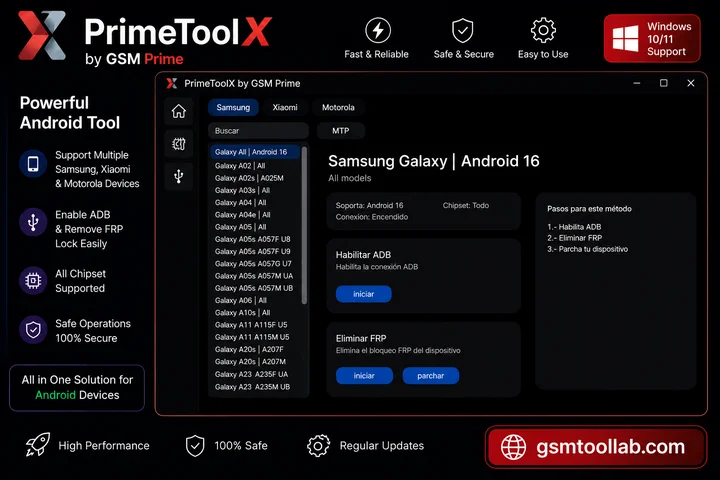
Open Prime Tool X as Administrator and select Samsung.
Step 2:
Choose your Samsung model from the sidebar.
Step 3:
Turn off the device and connect it in Preloader or EDL Mode.
Step 4:
Wait for the tool to detect the device.
Step 5:
Click Enable ADB to activate USB debugging.
Step 6:
Click Remove FRP and wait for the process to finish.
Step 7:
Click Patch Device to complete the bypass process.
Step 8:
Restart the phone and complete the normal setup process.
For Xiaomi Redmi A3
Step 1:
Open Prime Tool X as Administrator and select Xiaomi.
Step 2:
Choose Redmi A3 from the sidebar and power off the device.
Step 3:
Hold Volume Down and connect the USB cable to enter Preloader Mode.
Step 4:
Click Remove FRP and wait for the process to complete.
Step 5:
Restart the device and finish the normal setup process.
Key Features Of Prime Tool
FRP Bypass
FRP removal is not only working for Samsung, now it works for multiple devices like Xiaomi, Redmi Huvavew, realme, Oppo, and vivo.
Multi-Chipset
The tool works on multiple modes like ADB, Mediatek, Exynos, SPD, and Unisoc. It also works on Android 12 and 16 for the updated version.
Firmware Flashing
You can install official firmware to solve software problems and repair your Android smartphones.
Screen Lock Removal
When you have forgotten your passwords, pins, and patterns, you can unlock all functions with the help of Prime Tool.
ADB & Fastboot
The prime tool has options for reopening, adapting the system, and backup and restore. It uses ADB and fastboot mode.
EDL & Preloader
In this situation of the tool now getting into the market, you should use Qualcomm and MediaTek chipsets to resolve the issue of repairing mobile phones.
Factory Reset & Data Wipe
When the performed step factory reset, you can wipe all data, and the device will be fresh and new for every kind of user.
Backup & Restore Functions
The tool is used for partitions like NVRAM, EFS, MODEM, and USERDATA partitions. When you want to backup this tool will help you back up and restore.
Auto Device Detection
You don’t need to check the manual for information. The Prime tool will help you in auto-detecting all the information needed for the rapeiing mobile.
Real-Time Logs
In this tool, you can look straight at the love log and can check the progress of the tool to solve your problem.
Lightweight
It has minimal resource usage and is lightweight. You can use it easily due to its simple navigation in the dashboard.
What’s new in the Prime Tool 2026?
Android 16 FRP Bypass Added
Andrio 16 is the latest version of Sumsumg and other models. Now, the prime tool is the best solution for flashing firmware and bypassing the Android.
Samsung Qualcomm New Bit Support
Susmusn gqualcomm running on new chpsest supported like media tek and ADB. V9 version will help you in cleaning Qualcomm thoroughly needed Zapier drivers.
No More Zadig for Qualcomm Devices
Zading is a driver that is the painful point for all new users. But version 9 is the most advanced and can use the Qualcomm loader 9000 port to flash firmware and factory reset.
New Community Tab
A community ranking tab is added in the new version of Prime Tool. In this way, users can see the insights into how they rank in the prime tool with other users and can compete with others.
Bug Fixes and Stability
New updates are moved in this tool, like device detection and FRP removal. This will suit version v8.8 and support different modes.
Errors and Fixes
Device Not Detected
Check the USB cable, install drivers properly, run the tool as Administrator, and try a USB 2.0 port.
Model Not Showing
Your device may not be supported in the current version. Check the latest supported models list.
Enable ADB Not Working
Reconnect the device in the correct boot mode and try again.
FRP Screen Still Appears
Restart the device manually and run the Patch Device option again.
Antivirus Deleting Files
Disable antivirus before extracting the ZIP file, and add the folder to exclusions.
Tool Crashes on Launch
Extract the ZIP file first and install Microsoft Visual C++ 2015 or newer.
Samsung A04e / A06 Issues
Some Android 14 models may not work properly in V9.0. Try alternative FRP methods.
How To Download Prime Tool v9.0?
- Firs, download Prime Tool from the official website.
- Extract the ZIP file using WinRAR or 7-Zip.
- Open the extracted folder and run the tool as Administrator.
- Install MediaTek and UsbDk drivers from the Drivers tab.
- Install Qualcomm QDLoader 9008 drivers if needed.
- Restart your PC after driver installation.
- Open the tool, select your device brand and model, and start using it.
Download Information
- File Version: V2.4.1
- File Size: 159.6 MB
- 🗝File Password: None
- Download Link👇
Final Verdict
Prime Tool is a Windows-based Android repair software that supports firmware flashing, FRP removal, screen unlocking, backup and restore, bootloop fixing, and software repair. It supports ADB, SPD, Fastboot, and Download modes for brands like Samsung, Xiaomi, Huawei, Oppo, Motorola, and Vivo.
Recently Asked Questions About Prime Tool (FAQ’s)
Is Prime Tool X completely free?
Yes, V9.0 is completely free to download and use. It does not require credits, subscriptions, or account registration. Simply install the drivers and run the tool.
Which Samsung models does Prime Tool X support?
It supports Samsung A, M, F, S, J, and Note series devices. Supported models are updated regularly, so check the tool’s sidebar after installation to see if your device is included.
What is the main purpose of a tool?
A tool is an object designed to help people perform specific tasks or modify their environment more easily.
Does Prime Tool X work without an internet connection?
Yes, Prime Tool X V9.0 works completely offline and does not require internet access or server authentication.